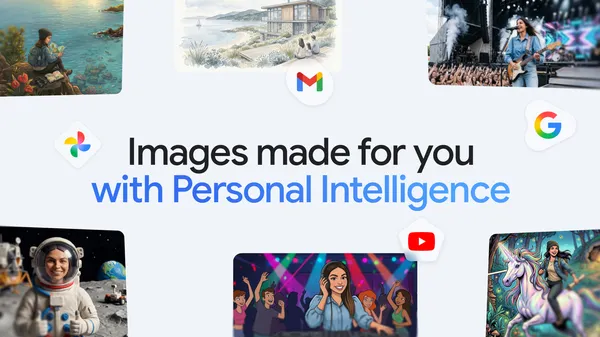

Google quietly dropped something interesting in the Gemini app this week. They call it “personalized images”—and it’s not just another generic image generator that spits out the same cat in a hat everyone else gets.
Nano Banana 2 (yes, that’s the model name) now taps into your personal context and Google Photos library to create images that actually reflect your life. Your dog, your living room, that weird coffee mug you bought at a flea market—it can all show up.
I’ve been messing with it for a couple of days, and here’s what I’ve found.
The good: It actually works with your photos. I asked it to generate an image of “my cat sleeping on my favorite chair” and it pulled the right cat and the right chair from my library. That’s impressive. The composition wasn’t perfect—the chair angle was slightly off—but the fact that it recognized both objects and placed them together is a big step forward from the usual “here’s a generic tabby on a generic armchair.”
The less good: It’s heavily dependent on how well your photos are organized. If you have 500 blurry shots of your dog from 2019 and one decent one from last week, it’ll still grab the blurry ones. There’s no way to tell it “use the photo from March 2025.” You just have to hope it picks the right reference.
Also—and this is a weird one—it sometimes blends personal context in ways that feel intrusive. I asked for “a cozy reading nook” and it pulled a photo of my actual bookshelf, which was cool, but then it also inserted a lamp I don’t own but apparently recognized from a friend’s apartment in a shared album. That’s… unsettling? I didn’t give it permission to scan shared albums.
Privacy-wise, Google says the model only accesses your photos locally and nothing gets uploaded for training, but I’m still side-eyeing the shared album thing. If you’re paranoid about this stuff (I am), you might want to double-check your Google Photos sharing settings before diving in.
Where it shines: Travel photos. I asked it to “make a postcard from my trip to Japan” and it pulled the best shots from my Osaka and Kyoto albums, stitched them into a single composition with a retro filter, and added a fake stamp. It looked genuinely good—like something I’d actually print. That’s the use case that makes sense to me.
Where it flops: People. Faces are still a mess. I tried “me and my partner at a beach sunset” and it gave me two vaguely humanoid blobs with my partner’s hair color and my jacket, but the faces were uncanny valley nightmares. Google is clearly aware of this—they have a warning that says “results may vary for people”—but it’s bad enough that I wouldn’t use it for anything involving recognizable humans.
The interface is simple: just type what you want, and Gemini asks if it can access your personal context and photos. You can opt in or out per session, which I appreciate. No permanent permissions.
One thing that bugs me: there’s no way to preview which photos it’s going to use before generating. You just type, wait 10-15 seconds, and hope it picked the right references. Sometimes it nails it, sometimes you get a weird amalgamation of three different vacations. I’d love a step where it shows you “I found these 3 photos—use them?” before committing.
Is this a game-changer? Not yet. But it’s the first time I’ve felt like AI image generation was actually personal rather than just personalized. There’s a difference. “Personalized” means the algorithm guesses what you might like. “Personal” means it knows what you actually have.
Nano Banana 2 leans more toward the latter, and that’s worth paying attention to—even if it still has rough edges.
Comments (0)
Login Log in to comment.
Be the first to comment!