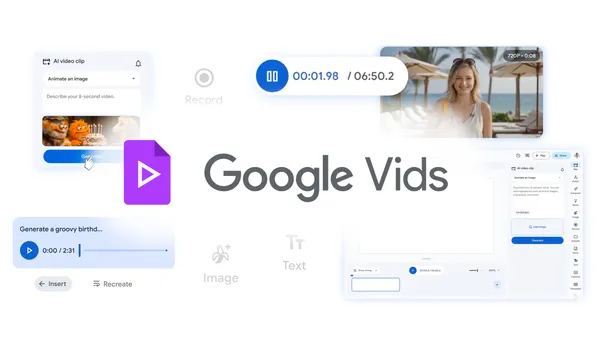

Google just quietly dropped a big update for Vids, their AI video tool, and I have to say — I’m impressed. The headline is that it’s now completely free to use, which alone is worth a look. But the real story is what’s under the hood.
They’ve baked in Lyria 3 and Veo 3.1, two of their latest AI models. Lyria handles the audio side — think music generation and sound effects — while Veo 3.1 is doing the heavy lifting for video generation. The result? You can type a prompt, get a decent video clip back, and then edit it directly in the browser. No export-import dance, no third-party tools required.
I tested the video generation with a few prompts like “a cat walking through a neon-lit city at night” and “a time-lapse of a flower blooming in a desert.” The quality is noticeably better than what I saw from the previous version. The motion is smoother, the lighting actually makes sense, and there’s less of that weird AI jitter that plagues most text-to-video tools. Veo 3.1 seems to handle complex scenes without collapsing into a blurry mess.
What surprised me most is how well Lyria 3 handles audio. I generated a 30-second background track for a quick promo video, and it didn’t sound like someone dropped a MIDI file into a blender. The rhythm matched the video’s pacing, which is a nice touch. You can also generate sound effects on the fly — footsteps, rain, car engines — and they layer in without sounding artificial.
The editing side is where Google Vids shines compared to tools like Runway or Pika. You don’t need to learn a timeline or mess with keyframes. Just drag clips around, trim them, add text overlays, and the AI handles transitions. It’s not going to replace Premiere Pro for serious work, but for quick social media clips, internal team updates, or even short YouTube videos, it’s more than enough.
Sharing is straightforward too. You can export as MP4, or share a link directly from the tool. No watermark, no forced branding. That alone makes it better than most free video editors out there.
Is it perfect? No. The video generation still struggles with human faces — eyes can get a bit uncanny valley, and hands are still a mess. Also, the maximum output length is capped at 60 seconds per clip, which is fine for short-form content but limiting if you need longer sequences. But for a free tool, these are minor complaints.
If you’ve been sitting on the fence about trying AI video tools, now is a good time. Google Vids is free, the models are solid, and it’s all in one place. No subscription, no credits system, just a browser tab and your imagination.
Comments (0)
Login Log in to comment.
Be the first to comment!