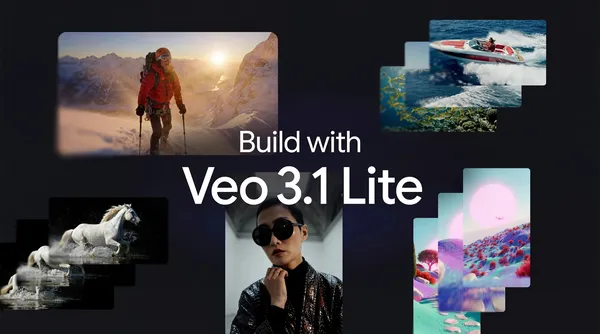

Google just quietly released Veo 3.1 Lite, and I have to say—this is the first time I’ve been genuinely interested in their video generation lineup. Not because it’s the best model out there, but because they finally made one that doesn’t feel like a luxury purchase.
Veo 3.1 Lite is now available in paid preview through the Gemini API and for testing in Google AI Studio. The “Lite” tag isn’t just marketing fluff—it’s genuinely cheaper than the full Veo 3.1, which has been around for a while but always felt overpriced for what it does.
I spent some time with it in AI Studio this morning. The interface is clean, which I appreciate. No bloat, no confusing options. You drop in a prompt, pick your settings, and it spits out a video. The generation speed is decent—about 30 seconds for a 5-second clip at 720p. Not groundbreaking, but acceptable for prototyping.
What surprised me is the quality. I was expecting a noticeable downgrade from the full model, but honestly? For most use cases—social media clips, quick animations, concept visualizations—it holds up fine. The motion coherence is better than I expected, though it still stumbles on complex scenes with multiple objects moving independently. If you need photorealistic cinematic shots, stick with the full model. But for everyday video generation, this hits a sweet spot.
The pricing is where it gets interesting. Google hasn’t published exact per-video costs yet, but early reports suggest it’s roughly 60% cheaper than Veo 3.1. That’s huge for indie creators or small teams who’ve been priced out of AI video tools. I’ve seen too many promising projects die because the API costs ate the budget before anyone saw a frame.
There are limitations, of course. The Lite model caps resolution at 1080p, and you can’t generate videos longer than 10 seconds. The style consistency isn’t as strong—if you ask for a specific aesthetic, it might drift after a few frames. And the watermarking is aggressive. Google slaps a SynthID watermark on everything, which is fine for internal testing but annoying if you want to share results publicly.
I also noticed it struggles with text rendering. I tried generating a video with a sign in the background, and it came out as gibberish. That’s a known issue with most video models, but I’d hoped Google would have a workaround by now.
One thing I genuinely like: the integration with Gemini API is seamless. If you’re already using Gemini for text or image generation, adding video is just another endpoint. No separate auth, no new SDK to learn. That kind of ecosystem play is smart, and it’s why Google might actually win the developer mindshare here.
Is this the best video generation model on the market? No. Runway Gen-3 still edges it out on quality, and Pika Labs has better style controls. But Veo 3.1 Lite is the most accessible option from a major player, and for cost-conscious builders, that matters more than raw capability.
I’d recommend trying it in AI Studio before committing to the API. The free tier gives you enough credits to run a dozen generations, which is plenty to decide if it fits your workflow. Just don’t expect miracles—it’s Lite for a reason.
Comments (0)
Login Log in to comment.
Be the first to comment!